

Source-aware presentation workflow
DeckSpeak
Turn source material into a presentation you can review, shape, deliver, and question while keeping the presenter in control.
DeckSpeak is an AI-assisted presentation and facilitation workspace for people who need to turn existing source material into a structured presentation without treating generation as the final step. A presenter starts with one active PDF, DOCX, TXT file, or pasted source, configures the audience and session, reviews and edits the proposed outline, then inspects and modifies the generated deck before presenting it.
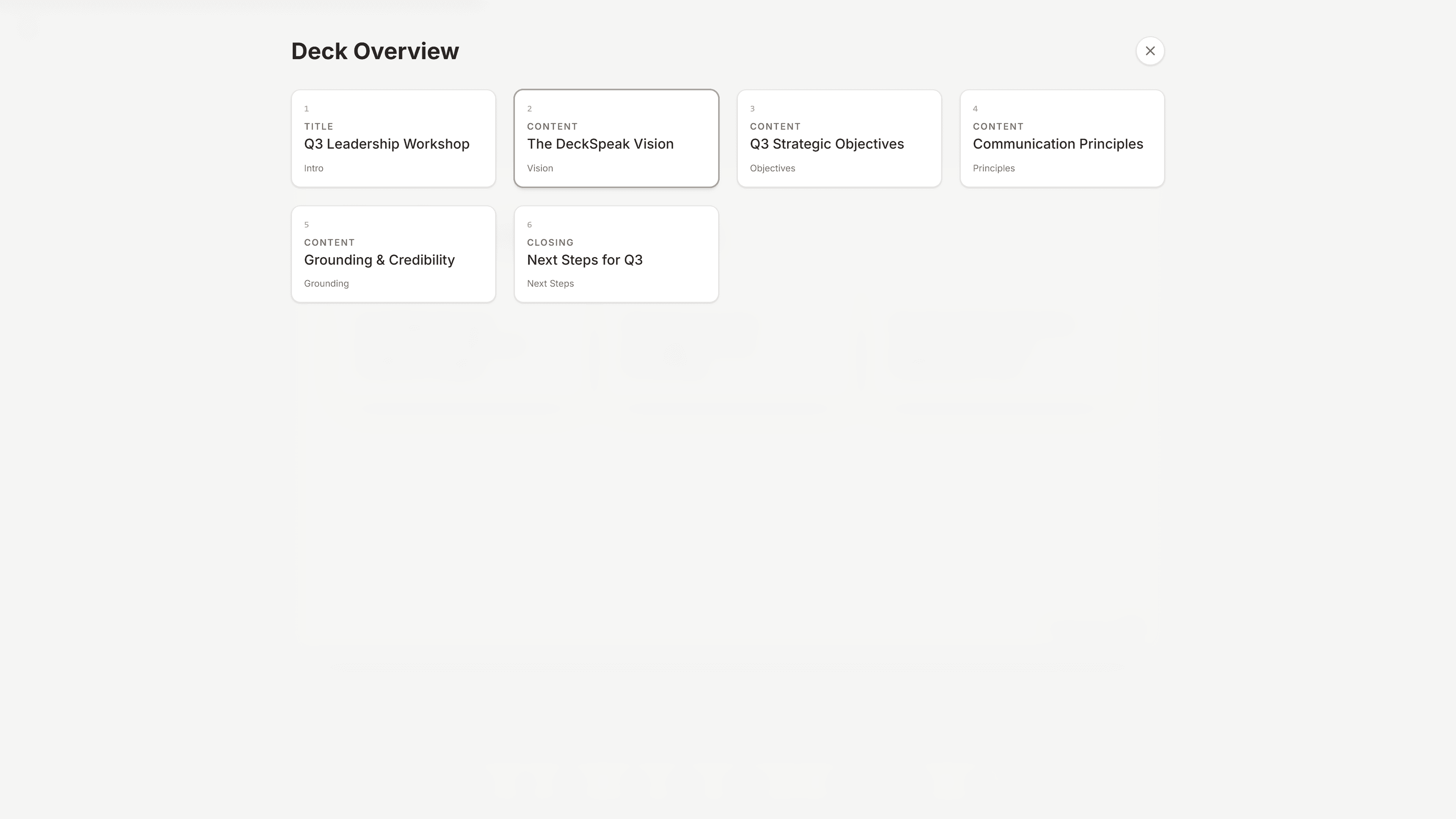
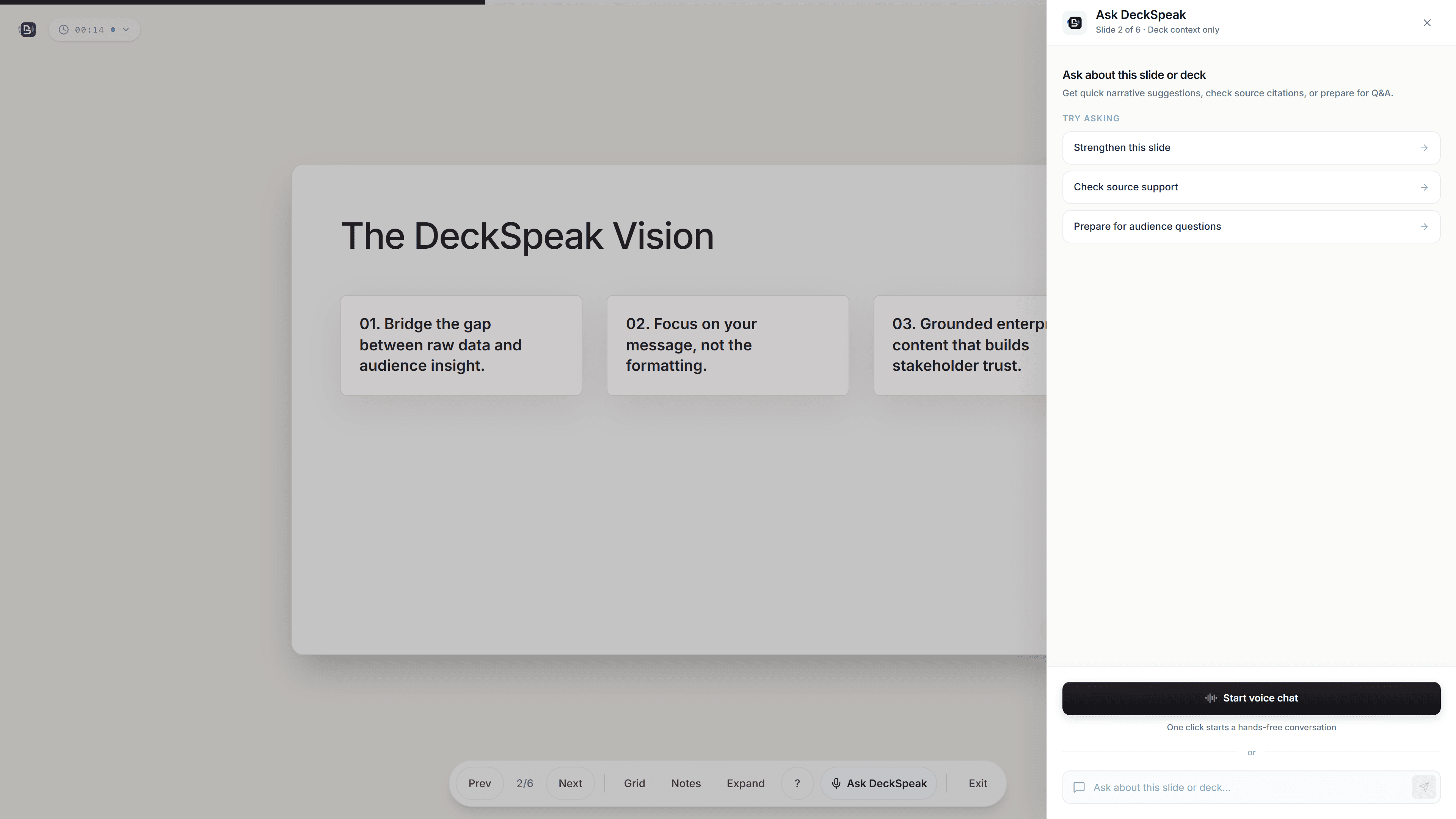
During review and delivery, Ask DeckSpeak can answer typed or voice questions using the current deck, speaker notes, and connected source excerpts when available. The presenter retains control over what is edited, presented, regenerated, ignored, or exported. Decks can be exported to PowerPoint, PDF, narrated-script text, or DeckSpeak JSON.
- Status
- Verified production deployment
- Creation model
- Editable plan before deck generation
- Presenter support
- Deck + connected-source context
- Outputs
- PPTX · PDF · Script · JSON
Why the workflow matters
A generated deck is only the middle of the job.
Presentation work does not end when slides appear. A presenter still has to decide whether the structure is right, whether the material reflects the source, what should be changed, what belongs in speaker notes, how the session should move, and how to respond when the audience asks something unexpected.
DeckSpeak keeps those steps in one workflow. Source material becomes an editable plan before it becomes a deck. The deck remains editable before it becomes a presentation. During delivery, the presenter keeps control of navigation, pacing, notes, search, and when AI assistance enters or leaves the session.
Product walkthrough
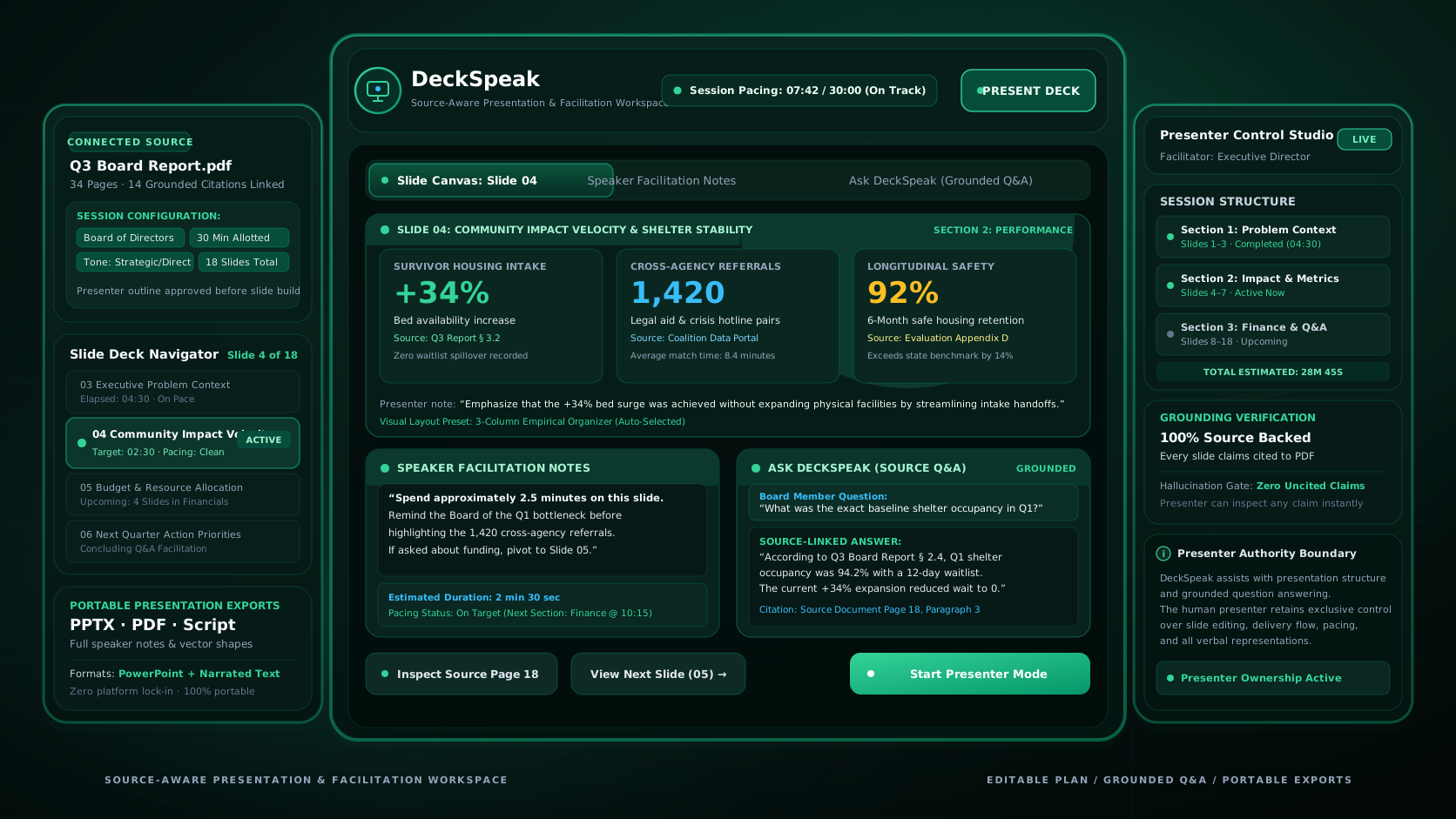
From source material to a presentation you can inspect and control.
DeckSpeak separates preparation into visible checkpoints rather than treating one generation request as the finished product.
Authentic DeckSpeak runtime UI captures demonstrating source intake, editable plan approval, slide workspace editing, and presenter delivery.
Start with one active source and define presentation context
Paste text or add a PDF, DOCX, or TXT source, then configure audience, duration, and visual style presets. DeckSpeak processes one active document at a time.
DeckSpeak dashboard and source intake workspace configuring audience, presentation duration, and style presets.
How it works
Five stages, with review checkpoints before anything is presented.
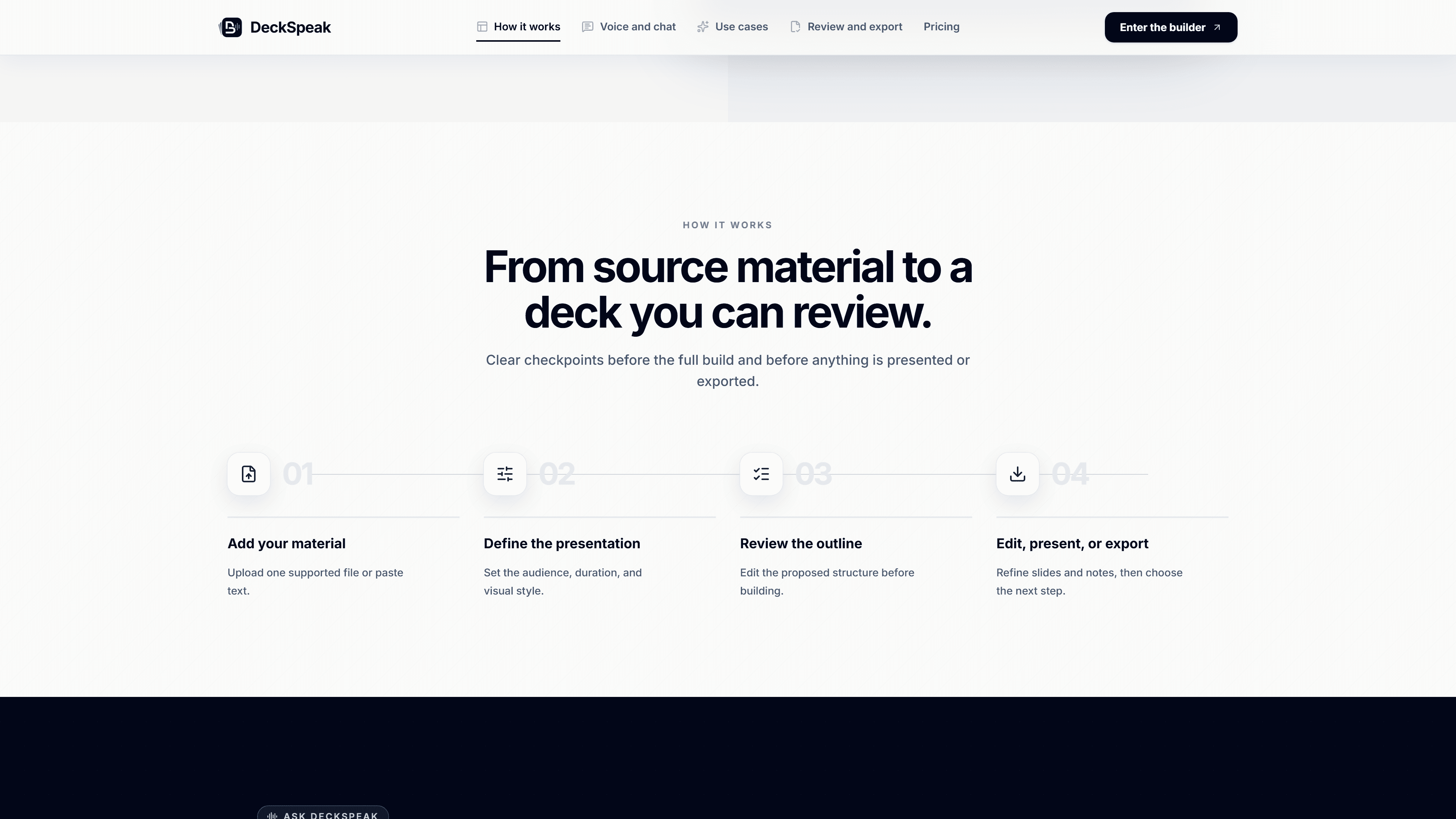
- STAGE // 01
Add source material
Paste text or select one PDF, DOCX, or TXT document. DeckSpeak extracts usable content and, where supported, source structure and images.
- STAGE // 02
Configure the session
Set the intended audience, presentation duration, visual style, and presenter context.
- STAGE // 03
Review the proposed plan
Inspect and edit the deck title, sections, slide allocation, key themes, audience, and timing before approving generation.
- STAGE // 04
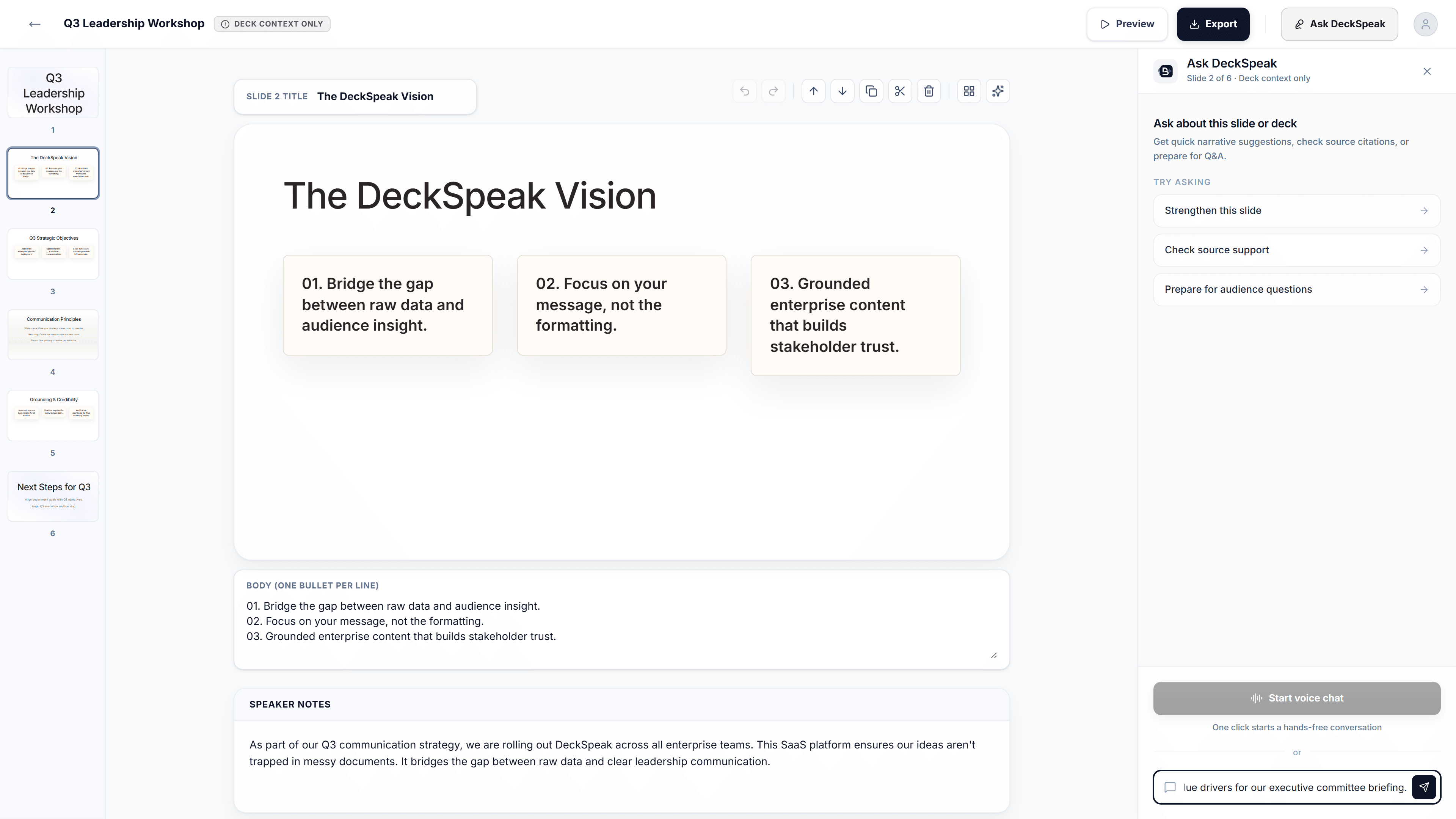
Review and edit the deck
Inspect the generated slides and notes, edit content directly, reorganize slides, split dense material, change supported visual compositions, or regenerate one slide when needed.
- STAGE // 05
Present, ask, and export
Deliver in presenter mode with pacing, notes, navigation, search, and Ask DeckSpeak, then export the reviewed deck as PowerPoint, PDF, narrated script, or DeckSpeak JSON.
- 01
Add source material
Paste text or select one PDF, DOCX, or TXT document. DeckSpeak extracts usable content and, where supported, source structure and images.
- 02
Configure the session
Set the intended audience, presentation duration, visual style, and presenter context.
- 03
Review the proposed plan
Inspect and edit the deck title, sections, slide allocation, key themes, audience, and timing before approving generation.
- 04
Review and edit the deck
Inspect the generated slides and notes, edit content directly, reorganize slides, split dense material, change supported visual compositions, or regenerate one slide when needed.
- 05
Present, ask, and export
Deliver in presenter mode with pacing, notes, navigation, search, and Ask DeckSpeak, then export the reviewed deck as PowerPoint, PDF, narrated script, or DeckSpeak JSON.
Product capabilities
Creation, review, presentation, and contextual assistance in one system.
Preparation and review
Source intake
Start from pasted text or one PDF, DOCX, or TXT source, or reopen a previously exported DeckSpeak JSON deck.
Editable outline
Review and change presentation structure, section order, themes, timing, audience, and slide allocation before the deck is generated.
Structured deck generation
Generate a typed slide deck with validated layouts, speaker notes, source-reference fields, themes, and structured visual composition data.
Review workspace
Edit slide content and notes, reorder or duplicate slides, split dense slides, undo changes, and preview the deck before presenting.
Visual composition system
Render six structured organizer forms including grids, flows, layered stacks, statement-and-support structures, comparisons, and timelines.
Presentation and assistance
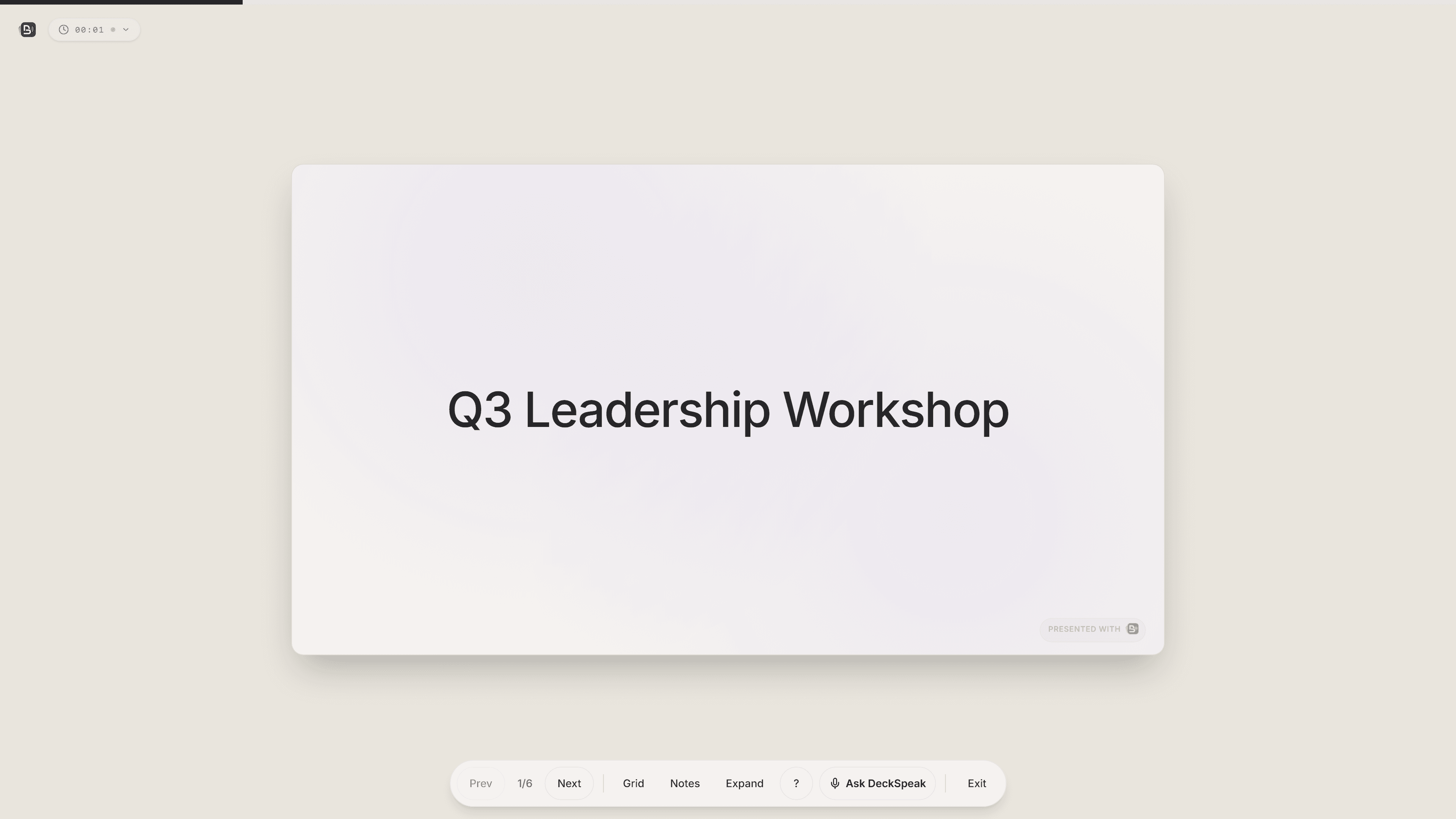
Presenter mode
Deliver with progress, pacing, speaker notes, overview navigation, search, fullscreen controls, and keyboard shortcuts.
Ask DeckSpeak
Ask typed or voice questions using the active slide, nearby deck context, notes, and connected source excerpts when available.
Portable outputs
Export to editable PowerPoint, PDF, speaker-note script text, or DeckSpeak JSON for re-import.
Presenter and AI boundaries
AI can draft, retrieve, and suggest. The presenter decides what gets used.
DeckSpeak uses AI to help create presentation structure and content and to provide contextual assistance during review or delivery. Generated slides, notes, references, and assistant responses remain review material. The presenter chooses the source, approves the outline, edits the deck, decides what is presented, and can close or interrupt the assistant.
System boundaries & operational limitations
OPERATIONAL BOUNDARIES- 01
DeckSpeak processes one active source at a time.
- 02
Generated content can be incomplete or incorrect and requires review.
- 03
Source references are proposed and can be deterministically checked when compatible extracted source text is available, but they remain review aids.
- 04
Imported or disconnected decks can operate in deck-only mode without the original source bundle.
- 05
Source knowledge stored on one browser does not automatically follow a synced deck to another browser.
- 06
Live voice is optional. Typed interaction and voice-input fallback are separate paths.
- 07
Native Google Slides export is not implemented.
- 08
Multi-user concurrent editing is not implemented.
Control and authority
AI assistance vs. presenter authority
Clear boundaries ensure generative proposals never bypass presenter approval or local verification.
AI assistance
ASSISTIVE LAYERProposes a presentation outline based on source text.
Drafts slides, layouts, and speaker notes.
Suggests organizer and visual structures.
Retrieves relevant source excerpts during Q&A.
Generates contextual answers to audience questions.
Provides voice assistance and spoken answers.
Presenter authority
AUTHORITATIVEEdits, reorders, adds, removes, and approves sections before generation.
Edits, splits, rearranges, deletes, or regenerates slides.
Changes supported compositions or removes generated charts.
Reviews whether the evidence supports the claim.
Decides whether the answer is useful or should be ignored.
Starts, stops, interrupts, or closes the interaction at will.
Human checkpoint
Source references and AI responses support preparation and facilitation. They do not replace presenter judgment.
Intended use
For presenters who need to stay close to the source and in control of the session.
Primary users
- 01
Facilitators
building workshops from existing organizational material.
- 02
Learning and development or HR
training teams.
- 03
Educators and instructors turning source material into structured presentations.
- 04
Consultants preparing research, policy, strategy, or client-facing sessions.
- 05
Professionals who want contextual presentation assistance without leaving the deck.
Operator fit
- 01
Organizations comfortable
reviewing AI-generated material before use.
- 02
Teams that need editable presentation outputs rather than autonomous presentation generation.
- 03
Operators able to manage authentication, cloud persistence, external AI processing, and data-retention choices.
- 04
Organizations willing to maintain provider configuration and release validation as AI models evolve.
These describe intended use and operating fit. They do not imply current adoption, endorsement, or use by any specific organization.
Current state
A verified production application with newer generation work on current source.
DeckSpeak has a verified production deployment and implemented source intake, outline review, structured deck generation, slide editing, presentation mode, Ask DeckSpeak, persistence, and multi-format export. The current repository also contains later generation, verified-source-fact, organizer-export, and model-policy changes beyond the release revision that was explicitly verified in production. Those newer changes should not be described as deployed until the production revision is reconfirmed.
Product & Operational Parameters
SPECIFICATION LEDGER- Production deployment
- Verified
- Core workflow
- Implemented end to end
- Verification gate
- Type check, lint, unit, coverage, rules, E2E, build, policy, smoke, audit
- Current source
- Active development beyond last verified production SHA
- Live voice
- Automated integration verified · physical release-environment check remains
Technical foundation
Local source knowledge, user-scoped persistence, and server-managed AI.
DeckSpeak combines a React presentation workspace with an Express service boundary, Firebase authentication and persistence, local browser knowledge storage, and server-managed AI integrations. The generated deck and the source-knowledge bundle are deliberately separate so a presentation can continue even when its original source excerpts are no longer available on the current browser.
Architectural separation
SYSTEM PROFILE- 01
Presentation model: Zod-validated deck, slide, organizer, theme, data-visualization, source-reference, and knowledge metadata schemas.
- 02
Local knowledge: extracted source text is normalized into a versioned IndexedDB knowledge bundle used for bounded retrieval.
- 03
Saved application data: saved decks, settings, account state, and related records can persist through Firestore when save, sync, or account functions are used.
- 04
AI boundary: generation and Ask DeckSpeak requests use server-managed integrations rather than exposing provider credentials in the browser.
- 05
Live interaction: short-lived session material and a server WebSocket relay support realtime voice.
- 06
Graceful degradation: if the local knowledge bundle is unavailable or mismatched, the deck remains usable and Ask DeckSpeak falls back to deck context.
Current source also includes an optional verified-fact generation path for source-backed metrics and chart construction. The feature is disabled by default (FACT_EXTRACTION_ENABLED=false) and should not be represented as standard deployed behavior until target production configuration is verified.
Information boundary
Browser workspace vs. server-managed services
Browser and presenter workspace
ZONE AUDIT- Active deck state and slide edits
- Extracted source knowledge bundle (IndexedDB)
- Slide and speaker-note edits
- Current-slide context and navigation
- Presentation controls and timer state
Server-managed services
ZONE AUDIT- Authentication and user-scoped persistence (Firestore)
- AI generation and outline planning requests
- Ask DeckSpeak processing and prompt assembly
- Live voice WebSocket relay
- Operational and billing services when enabled
Raw uploaded binaries are not the Q&A knowledge store. Connected-source assistance uses extracted text and chunks stored locally in the browser.
Transfer scope
A software and facilitation package ready for continued development.
Product application
BUILDER, SLIDE EDITING, PRESENTATION MODE, AND ACCOUNT INTERFACES
Generation & schema system
ZOD-VALIDATED OUTLINES, SLIDE SCHEMAS, ORGANIZERS, AND VISUAL REPAIR
Presentation & visual system
SLIDE LAYOUTS, DYNAMIC THEMES, DATA VISUALIZATIONS & SPEAKER NOTES
Ask DeckSpeak & knowledge
INDEXEDDB LOCAL KNOWLEDGE BUNDLES, RETRIEVAL, AND VOICE INFRASTRUCTURE
Persistence & export systems
FIRESTORE APPLICATION STORAGE PLUS PPTX, PDF, AND SCRIPT EXPORT PIPELINES
Verification & documentation
AUTOMATED TEST GATES, COVERAGE, RUNBOOKS, AND ARCHITECTURE SPECS
Transfer scope
A software and facilitation package ready for continued development.

Product application
BUILDER, SLIDE EDITING, PRESENTATION MODE, AND ACCOUNT INTERFACES
Generation & schema system
ZOD-VALIDATED OUTLINES, SLIDE SCHEMAS, ORGANIZERS, AND VISUAL REPAIR
Presentation & visual system
SLIDE LAYOUTS, DYNAMIC THEMES, DATA VISUALIZATIONS & SPEAKER NOTES
Ask DeckSpeak & knowledge
INDEXEDDB LOCAL KNOWLEDGE BUNDLES, RETRIEVAL, AND VOICE INFRASTRUCTURE
Persistence & export systems
FIRESTORE APPLICATION STORAGE PLUS PPTX, PDF, AND SCRIPT EXPORT PIPELINES
Verification & documentation
AUTOMATED TEST GATES, COVERAGE, RUNBOOKS, AND ARCHITECTURE SPECS
Proposed Transfer Inventory & Asset Scope
VERIFIED ARTIFACTS- 01Full-stack TypeScript workspace with React presentation UI and Express service boundary
Application source code
- 02Zod-validated schemas for outlines, slides, organizers, and knowledge metadata
Generation & outline schemas
- 03Presenter mode, pacing timers, slide reveals, grid view, speaker notes, and Wake Lock
Presenter runtime & navigation
- 04Context-aware grounded assistant supporting typed and realtime voice paths
Ask DeckSpeak Q&A engine
- 05Firestore user storage plus PPTX, PDF, TXT narrated script, and JSON export/import
Persistence & export pipelines
- 06Automated test suite, CI workflows, Firestore security rules tests, and runbooks
Verification & deployment tooling
Final included assets, third-party service accounts, provider agreements, domains, credentials, and transition commitments must be confirmed separately and should not be assumed to transfer automatically. Offered by Prosocial Coding LLC.
Questions
Frequently asked questions
01Is DeckSpeak intended to generate a finished presentation without review?
No. DeckSpeak deliberately inserts review steps before and after generation. The presenter can edit the proposed outline before the deck is built, then edit, reorder, split, regenerate, or reorganize slides before presenting or exporting them.
02What does Ask DeckSpeak know about the presentation?
It receives structured context from the current deck, active slide, nearby slides, speaker notes, and presenter context. When a matching local source-knowledge bundle is available, it can also retrieve bounded excerpts from the connected source.
03What happens when the original source is unavailable?
The deck remains usable. Ask DeckSpeak falls back to deck-only context. A cloud-synced deck opened on another browser may need the original source reconnected before source-backed retrieval becomes available again.
04Are source references guaranteed to be correct?
No. Source references support review. When extracted source text is available, DeckSpeak can check exact or normalized text matches and remove unsupported page references, but the presenter remains responsible for reviewing citations before use.
05Can a presenter change the generated deck?
Yes. The current review workspace supports direct editing, speaker-note changes, undo and redo, reordering, duplication, deletion, slide splitting, supported composition changes, and single-slide regeneration.
06What export formats are implemented?
PowerPoint, PDF, narrated speaker-note text, and DeckSpeak JSON. Native Google Slides export is not currently implemented.
07Is live voice required?
No. Ask DeckSpeak supports typed questions. Browser speech recognition can provide a voice-input fallback when realtime voice is unavailable or disabled.
08Does DeckSpeak support collaborative team editing or enterprise SSO?
Not currently. The present application supports authenticated individual accounts and user-scoped data, but it does not implement real-time multi-user deck editing or enterprise SSO.
09Is every feature on current main already deployed?
That should not be assumed. A production deployment has been verified, while current main includes later generation and grounding work that should go through the release-validation path before being described as deployed.


Evaluate DeckSpeak
Review the product, facilitation model, and technical foundation.
DeckSpeak combines presentation creation, human review, presenter-controlled delivery, contextual AI assistance, and portable outputs in one maintained software project. A serious evaluation should include the working product, grounding and persistence boundaries, release evidence, provider dependencies, and proposed transfer scope.
Staged Review & Diligence Path
ENGAGEMENT SEQUENCE- 01
Private product walkthrough and workflow inspection
- 02
Generation and outline-review checkpoint demonstration
- 03
Ask DeckSpeak grounding and realtime architecture review
- 04
Test, release, and operational evidence inspection
- 05
Proposed transfer scope and transition planning
All inquiries are routed through the canonical contact route for qualification, seller review, and staged diligence access.